A Digital Signature Certificate (DSC) is an electronic identity credential used to authenticate individuals and organisations and digitally sign electronic documents. It is widely used for government portals, e-Tendering, GeM, DGFT, Income Tax, MCA filings and secure business documentation.
Whether you need a new DSC, want to renew an existing certificate, configure a USB token or digitally sign a PDF, this guide explains the important things you should know before applying.
E-Filing Solution provides assistance for DSC application, USB token configuration, portal registration, PDF document preparation and technical support.
What is a Digital Signature Certificate (DSC)?
A Digital Signature Certificate is an electronic certificate that establishes the identity of its holder. It uses cryptographic technology to create a digital signature that can help verify:
The identity associated with the digital signature.
Whether the signed document has been altered after signing.
Whether the signature is associated with a valid digital certificate.
A digital signature is not simply a scanned image of a handwritten signature. It is a cryptographic signature linked to a digital certificate.
In India, Digital Signature Certificates are issued by licensed Certifying Authorities under the framework of the Controller of Certifying Authorities (CCA), Ministry of Electronics and Information Technology.
What is a DSC USB Token or Digital Signature Key?
A DSC USB Token is a hardware cryptographic device used to securely store and use the private key associated with a Digital Signature Certificate.
It is commonly known as:
DSC USB Token
Digital Signature Key
Digital Signature Dongle
USB Crypto Token
DSC Token
The USB token is connected to a computer when the certificate holder needs to perform a supported digital signing operation.
Important: A USB Crypto Token is not an ordinary pen drive. It is a specialised security device designed to protect cryptographic keys.
Difference Between DSC, USB Token and Digital Signature
| Term | Meaning |
|---|---|
| Digital Signature Certificate | Electronic certificate establishing the identity of the holder |
| Digital Signature | Cryptographic signature created using the private key |
| USB Crypto Token | Hardware device used to securely store and use the private key |
| Public Key | Key used to verify a digital signature |
| Private Key | Secret key used by the certificate holder to create a digital signature |
The private key must remain under the control of the certificate holder. Never share your token PIN or private key with anyone.
Types of Digital Signature Certificates in India
The certificate type required depends on the intended use and the current requirements of the relevant portal.
Class 1 DSC
Class 1 certificates provide a basic level of assurance of the identity of an individual. Their availability and permitted use should be checked with the Certifying Authority.
Class 2 DSC
Class 2 was an earlier certificate category. Applicants should check the current CCA framework and the requirements of the relevant portal before selecting a certificate.
Class 3 DSC
Class 3 DSC is commonly associated with higher-assurance online transactions and is used for e-Tendering and other portal activities where the portal specifies this requirement.
Practical advice: Do not select a DSC only by its class name. First check the exact requirements of the portal where you intend to use it.
Which DSC is Required for Different Government Portals?
Different portals may have different DSC registration and signing requirements. Always verify the latest instructions on the concerned portal.
| Portal / Purpose | What Should You Check? |
|---|---|
| GeM Portal | DSC registration and current portal instructions |
| Government e-Tendering | Required certificate type, signing purpose and token compatibility |
| Railway e-Tendering / IREPS | Current DSC registration requirements |
| MP Tenders | Portal-specific DSC and signing requirements |
| DGFT Portal | IEC details, certificate holder details and current DGFT instructions |
| Income Tax Portal | DSC registration and applicable filing requirements |
| MCA Portal | Applicable DSC and authorised signatory requirements |
| GST-related Work | Applicable portal process and authorised signatory requirements |
| PDF Signing | Compatibility of certificate, token and signing software |
A DSC that works on one portal may require separate registration or configuration on another portal.
Individual DSC vs Organisation-Related DSC
A DSC is issued to a person whose identity is verified by the Certifying Authority. It may be used for business or organisational purposes where the person is authorised to act on behalf of the organisation.
Before applying, check:
Name of the certificate holder.
Organisation or company details, where applicable.
PAN or other identity details as required.
Designation and authorisation, if applicable.
Intended portal and purpose of use.
A company should not share one person's private key among multiple employees. Each authorised user should use their own appropriately issued certificate and credentials.
Uses of Digital Signature Certificate
A DSC can be used for various online activities, subject to the requirements of the relevant platform.
Government e-Tendering
Signing tender documents.
Submitting online bids.
Participating in government procurement.
Completing portal-based signing operations.
GeM Portal
DSC registration, where required.
Seller-related portal operations.
Digital signing of applicable documents.
DGFT Portal
Import Export Code-related online work.
Digital signing of applicable applications and submissions.
Other permitted DGFT portal operations.
Income Tax and MCA
Applicable income tax filing and verification activities.
Company and LLP-related statutory filings.
Other authorised online submissions.
PDF Digital Signing
Digitally signing agreements.
Signing quotations and declarations.
Signing tender documents.
Signing business and official PDF documents.
How to Apply for a Digital Signature Certificate?
The application process generally involves the following steps.
Step 1 – Select the DSC Type
Identify the portal and purpose for which you need the DSC.
Step 2 – Provide Applicant Details
Enter the required applicant details carefully. The name and other particulars should match the supporting documents.
Step 3 – Complete Identity Verification
The Certifying Authority may provide identity verification through supported methods such as Aadhaar-based eKYC, paper-based verification or other permitted processes.
Step 4 – Complete the Application
Submit the required information, declarations and supporting documents.
Step 5 – Certificate Issuance
The licensed Certifying Authority reviews the application and issues the certificate after successful verification.
Step 6 – USB Token Configuration
Where a hardware token is required, configure the token and install the compatible drivers and software.
Step 7 – Portal Registration
Register the DSC on the relevant portal, following that portal's instructions.
Documents Required for DSC Application
The exact document requirements depend on the applicant category, verification method and Certifying Authority.
For Individual Applicants
Commonly requested information may include:
PAN Card.
Aadhaar or another accepted identity document.
Mobile number.
Email ID.
Photograph or other verification details, where required.
For Company or LLP Applications
Depending on the application, the following may be required:
PAN details of the applicant.
Applicant's identity and address proof.
Organisation PAN.
Company or LLP registration details.
Authorisation letter or board resolution, where applicable.
Designation and other supporting details.
For Proprietorship and Partnership Firms
The applicant may be asked for:
Individual PAN and identity proof.
Firm or business details.
Authorisation or supporting documents, where applicable.
Note: This is a general checklist, not a universal document list. The final requirement must be confirmed with the selected Certifying Authority.
DSC for NRI and Foreign Nationals
NRIs and foreign nationals may also apply for a Digital Signature Certificate, subject to applicable identity verification guidelines and the services offered by licensed Certifying Authorities.
The applicant should confirm:
Accepted identity and address documents.
Passport and nationality-related details, where required.
Accepted verification method.
Mobile number and email requirements.
Whether the intended portal accepts the proposed certificate.
Any additional documentation required by the Certifying Authority.
If you are applying from outside India, confirm the complete process before submitting your application.
DGFT Digital Signature Certificate
DGFT users should pay particular attention to the certificate holder's details and the portal's current requirements.
Before applying or registering a DSC, check:
Whether the DSC is appropriate for the intended DGFT operation.
Whether the certificate holder's details match the relevant IEC or authorised-user records.
Whether the certificate is valid.
Whether the USB token and signing utility are compatible.
Whether the current DGFT portal instructions require additional steps.
Do not assume that every DSC will automatically work for every DGFT transaction.
Online and Offline PDF Digital Signing
A digital signature can be applied to a PDF using compatible digital-signing software.
Online PDF Signing
Online signing facilities may be available through supported services. Before uploading a document, check the service's privacy and security arrangements.
Offline PDF Signing
Offline signing software can be used on a computer with the required token, driver and compatible signing application.
Typical steps:
Connect the USB Crypto Token.
Open compatible PDF signing software.
Select the digital certificate.
Choose the document and signing location.
Enter the token PIN when prompted.
Save the digitally signed PDF.
Verify the signature status in the PDF reader.
The exact steps may vary according to the software and token.
E-Filing Solution USB PDF Utility – Simplify Your PDF Work
Managing PDF documents is a regular requirement for contractors, suppliers, businesses and professionals working with government portals and official documentation.
To make everyday PDF tasks easier, E-Filing Solution has developed its own USB PDF Utility.
The utility is designed to help users perform common PDF operations through a simple interface, reducing the need to depend on multiple tools for routine document preparation.
Features of USB PDF Utility
PDF Merge
Combine multiple PDF documents into a single file for convenient document management and submission preparation.
PDF Compression
Reduce PDF file size to help prepare documents for upload, subject to output quality and file requirements.
Add Visual Signature
Place a signature image or drawn signature on a PDF for visual presentation.
Simple Document Preparation
Prepare quotations, declarations, tender documents, invoices and other business PDFs before sharing or submitting them.
Browser-Based Processing
Supported operations are designed to process documents locally in the browser rather than uploading them to an E-Filing Solution server.
Who Can Benefit from USB PDF Utility?
Government contractors and tender participants.
GeM sellers and suppliers.
Businesses and professionals.
Applicants preparing PDF documents for online submissions.
Users who regularly merge or compress PDF files.
Digital Signature vs Visual Signature – Understand the Difference
A visual signature is an image or drawn representation placed on a PDF. It is not the same as a cryptographic digital signature created using a valid DSC and private key.
For legally authenticated digital signing, use a valid DSC with compatible signing software and follow the relevant portal's requirements.
Try E-Filing Solution USB PDF Utility
Simplify routine PDF preparation with E-Filing Solution's in-house utility.
Explore the USB PDF Utility: [Add the actual USB PDF Utility page link here]
For assistance with DSC application, USB token configuration, PDF signing and portal registration, contact E-Filing Solution.
How to Install and Use a DSC USB Token?
A general installation process is:
Identify the token manufacturer and model.
Download the correct driver or middleware from the official source.
Install the software on your computer.
Restart the computer if required.
Connect the USB token.
Check whether the certificate is visible in the token utility or supported application.
Use the certificate on the intended portal.
Never download token drivers from unknown websites.
Common DSC Problems and Their Solutions
DSC Token Not Detected
Possible reasons:
Token driver not installed.
USB port problem.
Token middleware not running.
Operating-system compatibility issue.
Try another USB port and install the correct official driver.
DSC Not Showing on Portal
Possible reasons:
Certificate not registered on the portal.
Browser or signing utility incompatibility.
Token driver problem.
Certificate details not matching the portal's records.
Check the portal's current registration procedure and supported software.
DSC Registration Failed
Verify the certificate validity, applicant details, portal requirements and token configuration.
Invalid DSC Error
Check whether the certificate has expired, been revoked or does not meet the portal's requirements.
DSC Expired
An expired certificate cannot be treated as a currently valid certificate for new signing operations. Apply for a new certificate or renewal through an available licensed Certifying Authority process.
Token PIN Locked
Do not repeatedly guess the PIN. Contact the token provider or authorised support channel to understand the available recovery procedure.
PDF Digital Signature Not Valid
Check the certificate chain, certificate validity, trust settings and whether the PDF was modified after signing.
DSC Validity and USB Token Life
The validity of a Digital Signature Certificate and the physical life of a USB Crypto Token are two different things.
| Item | Meaning |
|---|---|
| DSC Validity | Period for which the issued certificate remains valid |
| USB Token Life | Physical and technical usable life of the hardware device |
| Token PIN | Security credential used to access the token |
| Certificate Renewal | Process of obtaining a new valid certificate |
The validity period depends on the specific certificate product and the Certifying Authority. Always check the validity mentioned in the issued certificate.
A working USB token does not mean that the certificate stored in it is still valid.
What to Do If a DSC USB Token Is Lost or Compromised?
A DSC token should be kept securely by the certificate holder.
If the token is lost, stolen or suspected to be compromised:
Inform the issuing Certifying Authority immediately.
Request the appropriate suspension or revocation action.
Follow the CA's instructions.
Inform the relevant organisation or portal administrator where necessary.
Apply for a replacement certificate if required.
Never share your token PIN, private key or sensitive application credentials.
How to Choose the Right DSC Service Provider?
Before applying, consider:
Whether the certificate is issued by a licensed Certifying Authority.
Whether the required certificate type is available.
Whether the provider explains the document requirements clearly.
Whether pricing and GST invoice details are transparent.
Whether token configuration assistance is available.
Whether technical support is available for portal registration.
Whether the provider can assist with renewal and troubleshooting.
The certificate itself must be issued by a licensed Certifying Authority. An assistance provider cannot independently issue a DSC unless it is authorised to do so under the applicable framework.
Digital Signature Certificate Services by E-Filing Solution
E-Filing Solution assists individuals, professionals, businesses, contractors, suppliers and organisations with Digital Signature Certificate-related requirements.
Our assistance includes:
Individual DSC application assistance.
Organisation-related DSC application assistance.
Class 3 DSC guidance, subject to intended use.
DSC for e-Tendering.
DSC for GeM Portal.
DSC for Railway e-Tendering / IREPS.
DSC for DGFT-related work.
DSC assistance for NRI and foreign nationals, subject to eligibility and verification.
USB Crypto Token and certificate-key guidance.
Token driver installation and configuration.
Online and offline PDF signing assistance.
DSC renewal and troubleshooting guidance.
Online and offline assistance is available. Certificate issuance remains subject to the verification and approval process of the licensed Certifying Authority.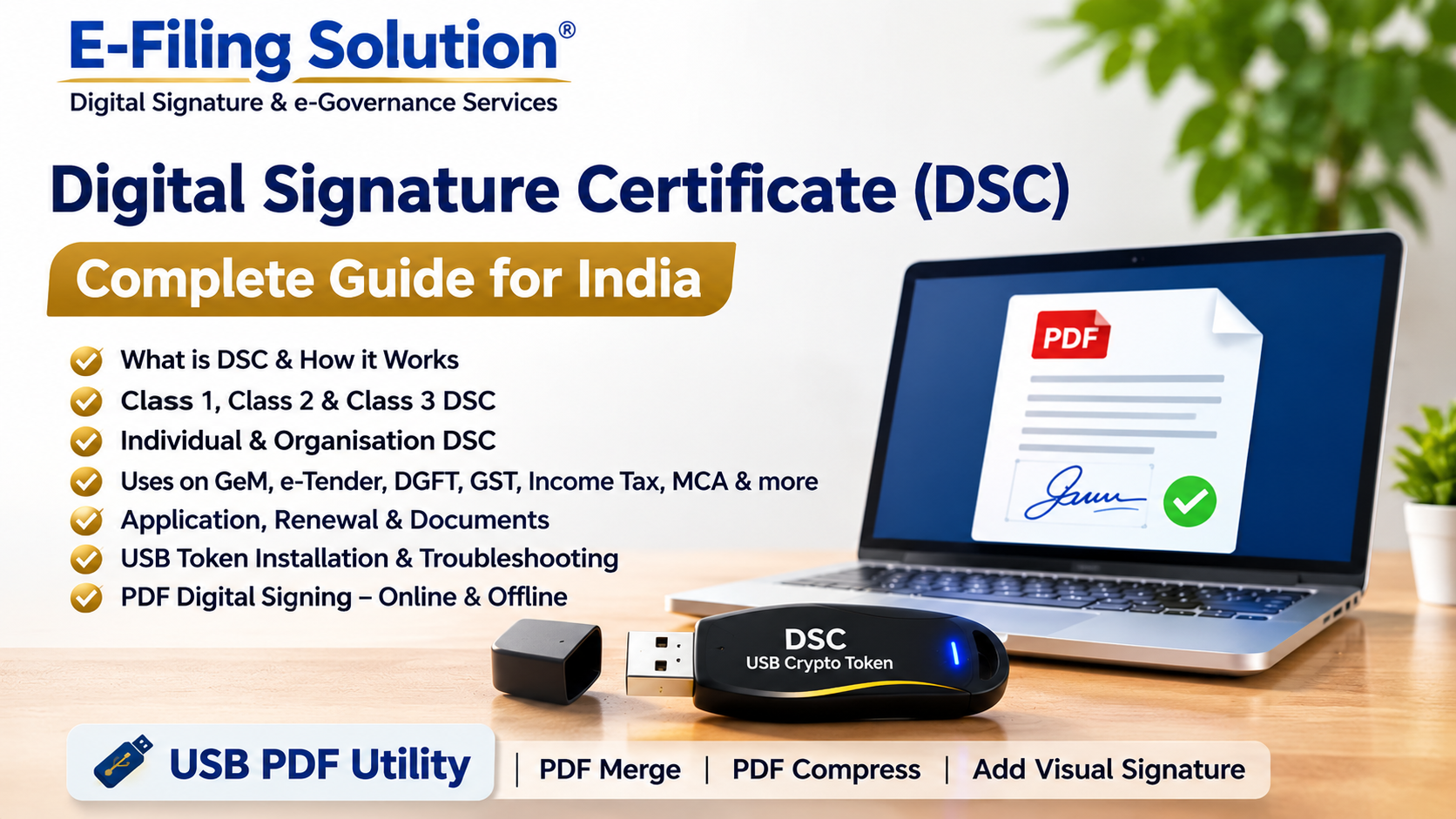
Need Help with Your Digital Signature Certificate?
Not sure which DSC you need? Facing a token installation or portal registration problem? Contact our team for assistance.
E-Filing Solution
Website: https://efilingmp.com
Phone / WhatsApp: +91 87704 64417
Email: expert.signature@gmail.com
Serving customers in Bhopal and assisting applicants with DSC-related requirements.
Frequently Asked Questions About Digital Signature Certificate
What is a Digital Signature Certificate?
A DSC is an electronic certificate used to establish the identity of its holder and support secure digital signing of electronic records.
What is a DSC USB Token?
It is a hardware cryptographic device used to securely store and use the private key associated with a DSC.
Is a DSC USB Token the same as a pen drive?
No. A USB Crypto Token is a specialised security device, not an ordinary storage pen drive.
Which DSC is required for e-Tendering?
The required certificate type depends on the specific tender portal and its current instructions. Check the portal requirements before applying.
Can I use one DSC on multiple portals?
A certificate may be usable on multiple compatible portals, but separate registration and configuration may be required. Each portal has its own rules.
Can I use my DSC on the GeM Portal?
You can use a DSC where the GeM workflow requires it, subject to the portal's current registration and compatibility requirements.
Can I use a DSC for DGFT?
Yes, where the relevant DGFT activity supports or requires digital signing. Check current DGFT instructions and certificate requirements.
Can an NRI apply for a DSC in India?
NRIs and foreign nationals may be eligible subject to applicable verification guidelines and the services offered by the Certifying Authority.
Is a DSC the same as a scanned signature?
No. A scanned signature is an image. A digital signature is a cryptographic signature linked to a digital certificate.
How long is a DSC valid?
Validity depends on the certificate product issued by the Certifying Authority. Check the validity period shown in your certificate.
Does the USB token expire?
The hardware token and the certificate have separate lifetimes. A token may continue to work even after its stored certificate expires.
Can I renew an expired DSC?
You may apply for a new or renewed certificate through an available Certifying Authority process. Verification may be required again.
What if my DSC token is not detected?
Check the USB port, token driver, middleware and software compatibility. Use the official driver for your token model.
What if my DSC is not visible on the portal?
Check whether the certificate is registered, the signing utility is working and the portal supports the certificate and browser configuration.
Can I digitally sign a PDF without uploading it online?
Yes. Compatible offline signing software can be used with a supported certificate and USB token.
Can I use DSC on another computer?
You may be able to use the token on another compatible computer after installing the required drivers and signing software. Follow your organisation's security policy.
Can two people use the same DSC token?
The token and private key should remain under the control of the certificate holder. Sharing the token or PIN is not recommended.
What should I do if I lose my DSC token?
Inform the issuing Certifying Authority immediately and request appropriate action, such as suspension or revocation.
Can a DSC be used for company filings?
A DSC can be used for applicable company and statutory filings by authorised certificate holders, subject to portal requirements.
What is the E-Filing Solution USB PDF Utility?
It is an in-house utility designed to help users merge PDFs, compress PDF files and add visual signatures to documents.
Is a visual signature the same as DSC signing?
No. A visual signature is an image or drawn signature. A DSC signature is a cryptographic signature linked to a valid digital certificate.
Where can I get help with DSC application and installation?
You can contact E-Filing Solution for DSC application assistance, USB token configuration, portal registration and troubleshooting guidance.
Official Resources and Further Reading
For the latest rules and portal-specific instructions, refer to official sources:
Controller of Certifying Authorities: https://cca.gov.in/
Ministry of Electronics and Information Technology: https://www.meity.gov.in/
Government e-Marketplace: https://gem.gov.in/
DGFT: https://www.dgft.gov.in/
Income Tax Department: https://www.incometax.gov.in/
Ministry of Corporate Affairs: https://www.mca.gov.in/
Indian Railways e-Procurement System: https://www.ireps.gov.in/
Portal requirements and Certifying Authority services may change. Always refer to the latest official instructions before applying.
About E-Filing Solution
E-Filing Solution provides assistance for Digital Signature Certificates, e-Tendering, GeM services, DGFT-related requirements, government registrations and online filing support.
For assistance, call or WhatsApp +91 87704 64417 or email expert.signature@gmail.com.
Website: https://efilingmp.com
Last reviewed: November 2026.
Comments
Comments are reviewed before appearing publicly. Please do not share sensitive personal information.